How invoices flow from TidyCommerce into Tidy
*If you have not yet connected your Tidy account with TidyCommerce, please read Integrations - How to Connect your Tidy account with TidyCommerce.
When a sale is made on your TidyCommerce website, the sale can flow through to your Tidy account with a status of Draft, On-Order, or Completed (Invoiced). The default status the sale will be sent as is Invoiced (Completed).
To learn how to set the status of the sale within TidyCommerce, read below.
Firstly, navigate to API within the E-Commerce tab of TidyCommerce
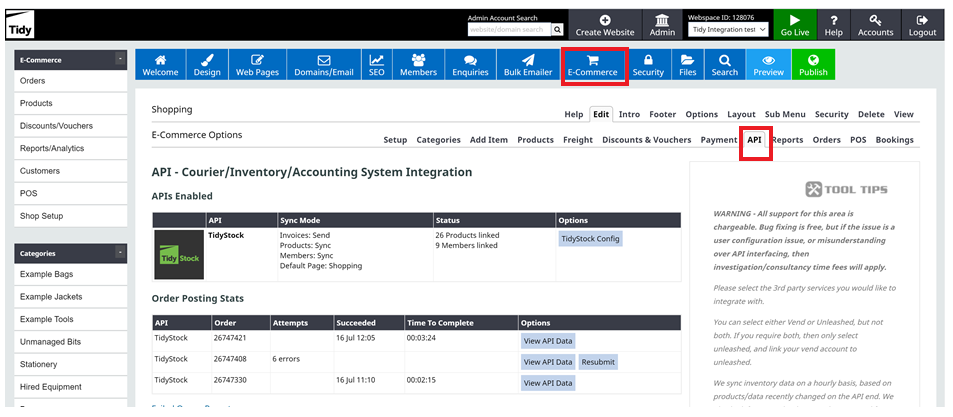
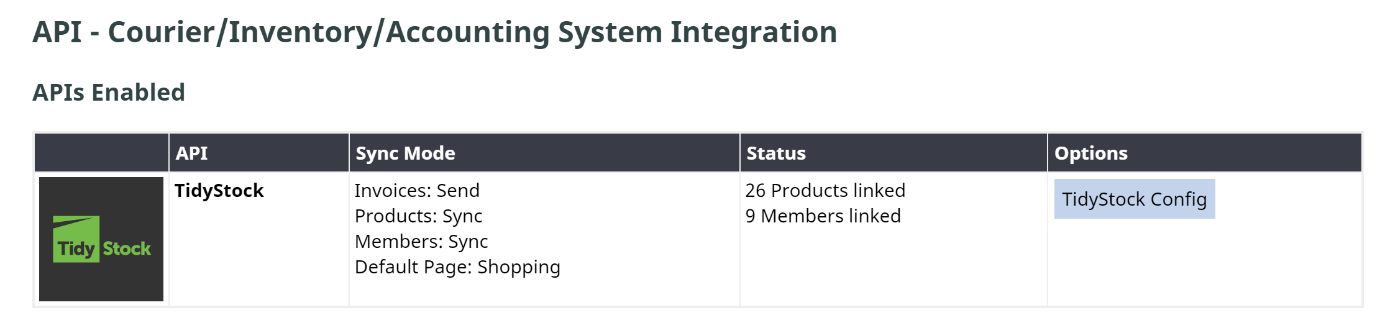
Once you are within the page, click on TidyStock Config
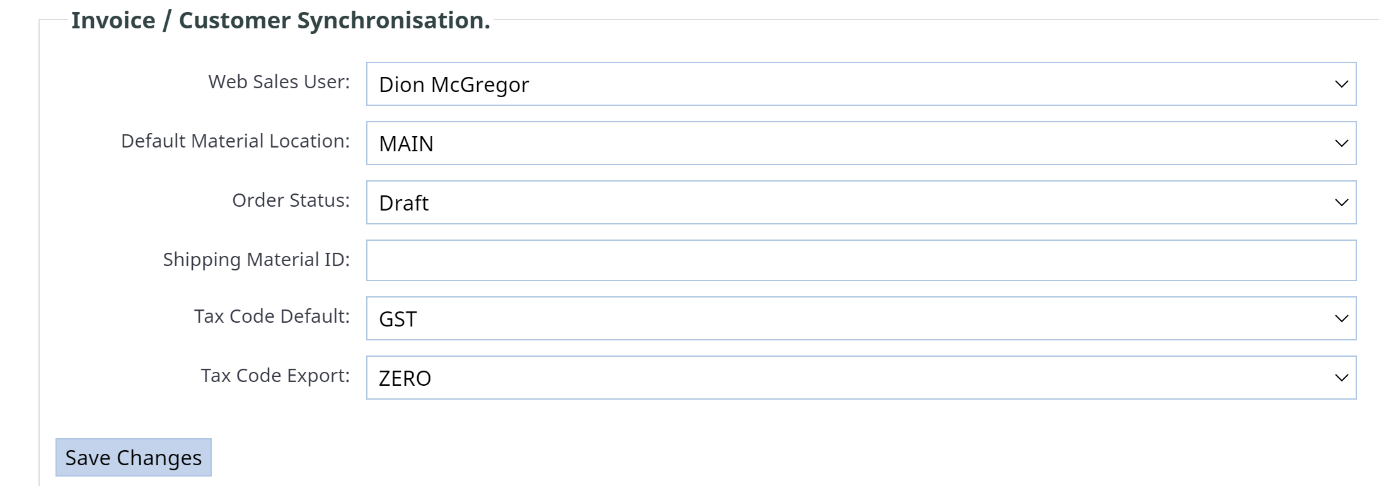 Within the TidyStock Config tab, you will see the current order status will be sent to invoiced. Invoiced sales reduce stock levels within your Tidy account; so, when TidyCommerce re-syncs stock levels it will display the correct stock levels within TidyCommerce.
Set the status of a sale as a draft
The Sale can also flow through to Tidy as a draft sales order. However, this does not reduce stock levels within your TidyStock or TidyEnterprise account. To use this sales order status, ensure that the sales are synced nightly. That way you can ensure you change the status of the order before the inventory items are re-synced.